
SimploMCP
Run your social media from any AI assistant. Even from your phone.
Connect Simplo MCP once and ask in plain words — from the Claude app on your phone, Claude on your desktop, or the editor you build in. It reads your brand, writes the posts, makes the pictures and schedules them, and asks you before anything goes live.
https://api.getsimplo.ai/mcpNo API key to copy. You sign in to Simplo and approve the connection in your browser.
One connection. Every place you use AI.
On your phone
Add Simplo MCP as a connector on claude.ai once and it comes with you to the Claude app on iPhone and Android. Plan next week's posts from the train, approve them from the queue at the café.
At your desk
Claude on the web and the desktop app use the same connection. Draft a month of posts in the same chat where you planned the launch.
Where you build
Claude Code, Codex, Cursor and VS Code. Ship the feature, then ask for the announcement post without leaving the terminal.
What happens after you press enter
- 1
Finds your brand among your Simplo projects.
list_projects - 2
Reads your voice, audience and products.
get_brand - 3
Writes three ideas in that voice.
generate_caption_ideas - 4
Makes the picture and checks the lettering.
generate_image - 5
Asks you to confirm Tuesday at 9.
you - 6
Schedules it once you say yes.
create_post
Other things you can ask
“Give me ten hooks for our Black Friday sale.”
generate_caption_ideas“How many credits do I have left?”
get_credits“Make a story-sized version of that picture, with our logo.”
generate_image“Make a five-slide carousel about our fall menu.”
create_carousel“What did we post in August, and did anything fail?”
list_posts“Save these as drafts. I'll look at them tomorrow.”
create_post“Move Thursday's post to Friday at noon.”
schedule_postasks you first“Fix the typo in tomorrow's caption.”
update_postasks you first“Publish yesterday's draft now.”
publish_postasks you first
Watch it work
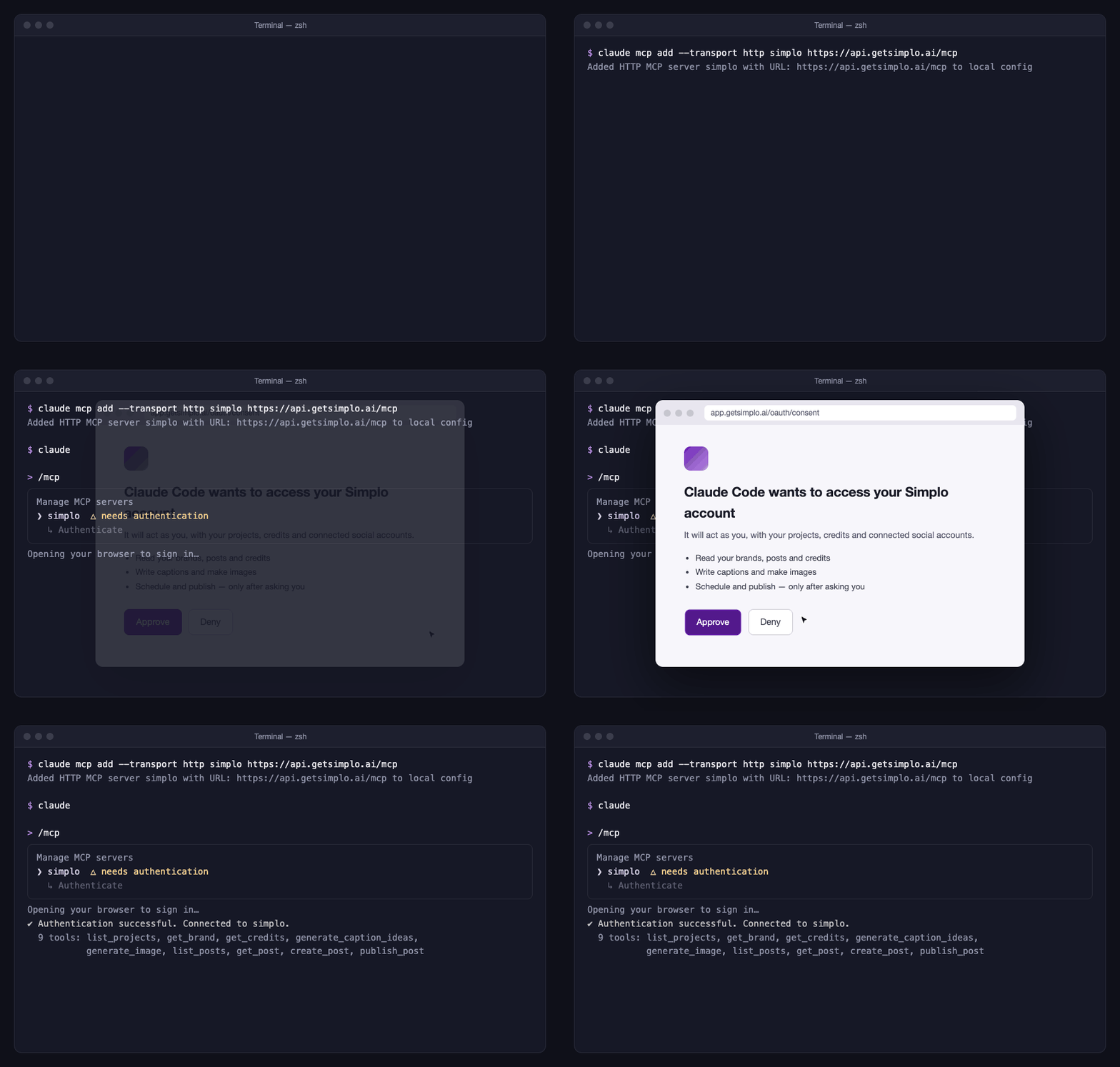
One command, one browser approval, and Simplo's tools show up in your assistant.
Connect your assistant
Every assistant uses the same address. The first time a Simplo tool runs, your browser opens so you can sign in and approve. It stays connected until you disconnect it.
- 1.Run the command below in your terminal.
- 2.Start Claude Code, type /mcp, pick simplo and choose Authenticate.
- 3.Approve the connection in the browser tab that opens.
$ claude mcp add --transport http simplo https://api.getsimplo.ai/mcp
Any other assistant that supports remote MCP servers over HTTP with OAuth works the same way: give it the server URL and approve in the browser.
It asks before it posts
Scheduling, publishing and deleting are refused unless your assistant has asked you and you said yes, and so is editing a post that's already scheduled. Everything else lands in Simplo as a draft you can change.
- It uses the same credits as the app, and your assistant can check your balance first.
- Disconnect any assistant from Settings → Connect to Claude in Simplo.
- There is no API key: you sign in and approve in your browser.
This goes live on your Instagram on Tue 6 Oct at 09:00. Go ahead?
Yes, schedule it.
create_post({ confirm: true })Questions
What is MCP?+
The Model Context Protocol is an open standard that lets AI assistants use outside tools. Simplo runs an MCP server, so any assistant that speaks it can work with your Simplo account the way you would in the app.
Do I need a Simplo account?+
Yes. The assistant acts as you, so it needs an account with an active subscription. Actions cost the same credits they cost in the app.
Try it on next week's posts.
Start a free trial, then connect your assistant in a minute.